



REV1, a new client of ours, needed a few assets that would change as their business evolved. We did not want to be the bottleneck every time they came back for an update on assets that would change as their business did.
We wanted to be out of the loop. Specifically, out of the loop for those assets that only the client should control. The ones where our involvement added no value and only added wait time.
The problem we kept running into
REV1 was going through SOC 2 certification. They had the badge we designed on their website. They just could not put it on their site yet because the approval had not come through (yet). The question was: when it does, what happens? They message us. We pull the file. We make the swap. We send it back. And that can take multiple rounds of back-and-forth before it lands right.
That is not a design problem. That is a process problem, and it was one we felt we could address with AI.
It was the same story for their integration asset. They were showcasing which software partners were integrating with their platform, and that list was growing as approvals came in over time. Except those integrations were not a PNG. They were a Lottie animation, which made the process more complex.
Both assets needed to move on the client’s timeline. Without us in the middle.
What the client actually needed
Two assets. Multiple states. Zero need to come back to us once the updated asset was ready to go live.
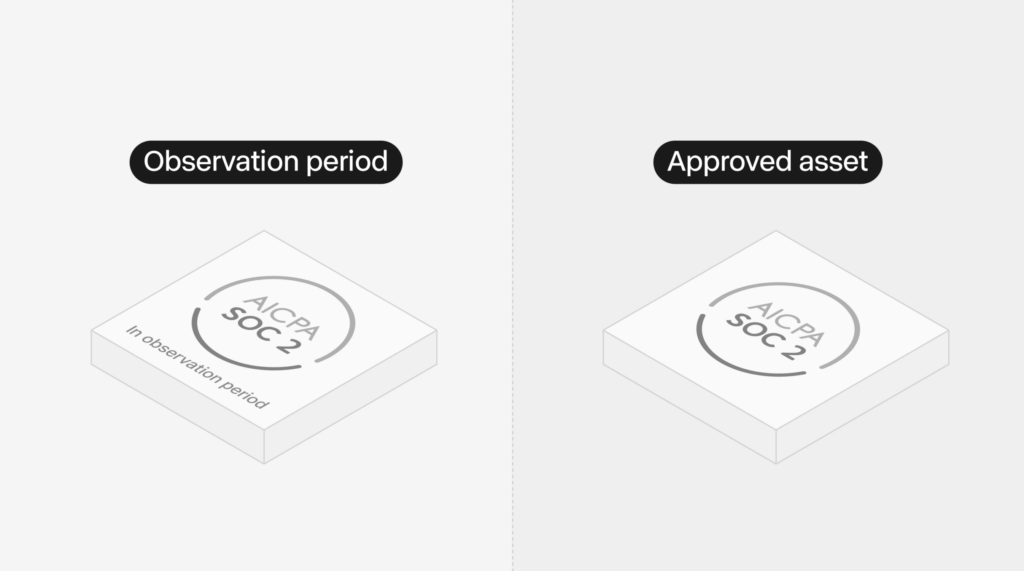
The AICPA SOC 2 badge needed to move from observation period to certified the moment approval came through. The client needed to export that file themselves and upload it to their site without waiting on us or even notifying us.
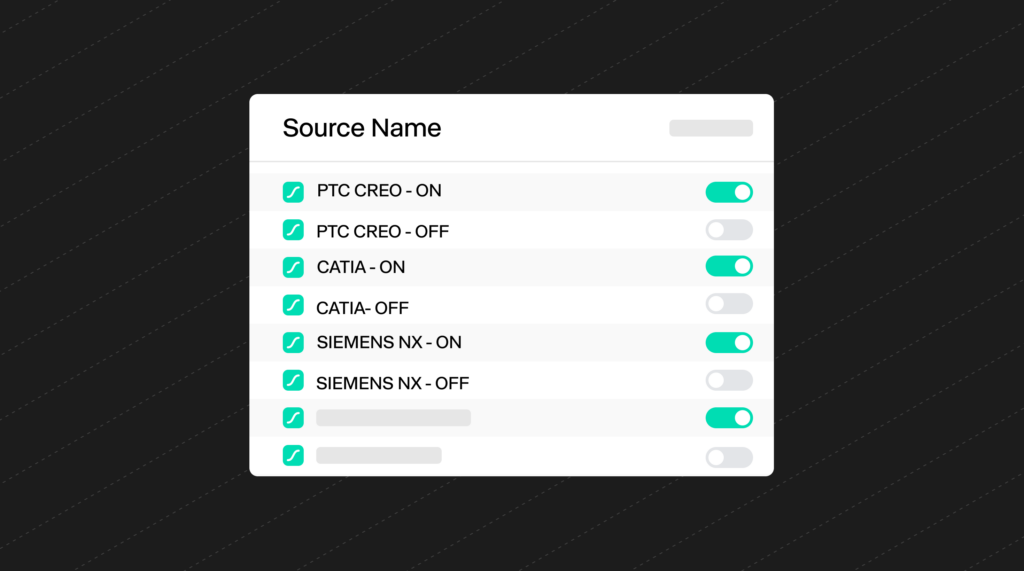
The Integrations Lottie needed each integration to be independently switchable. PTC CREO goes live. Flip it ON. CATIA gets approved. Flip it ON. No communication. No question for us. Just a tool that worked.
Instead of files, we built a tool
We prompted Claude to build a self-contained HTML viewer. Two tabs at the top.
The AICPA SOC 2 tab shows both badge states side by side. The observation period version exports as PNG. The certified version exports as SVG. The client clicks whichever one reflects where they are and downloads it directly.
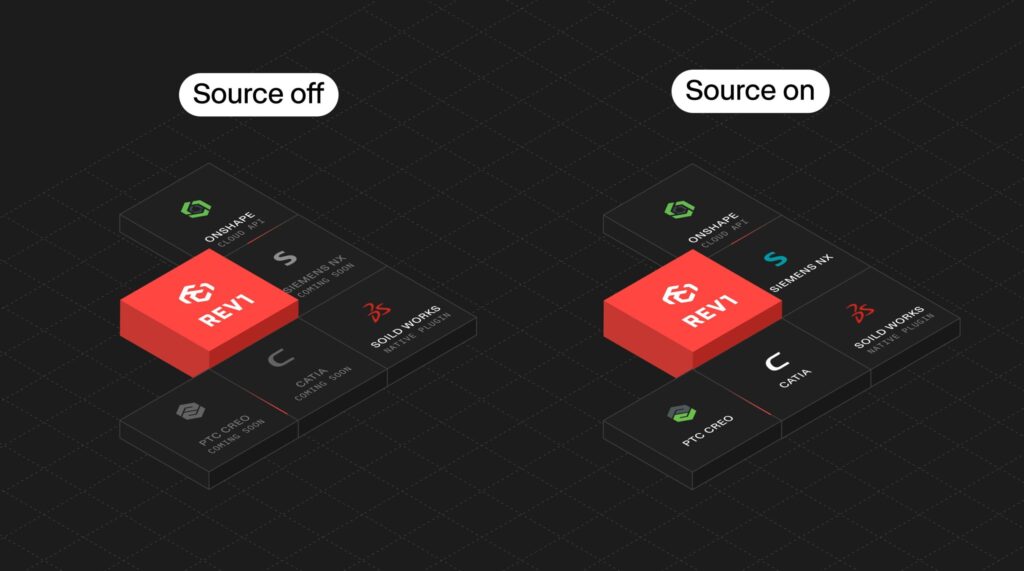
The Integrations tab plays the Lottie animation with an ON/OFF toggle for each integration. Flip CATIA to ON and the coming soon text disappears. Flip it OFF and it comes back. Export downloads the Lottie JSON in whatever state the client has set. No server. No login. No us.

4. Where it got hard: the Lottie
The Lottie was the messiest part.
The file came in with layers named Vector 121, Vector 96, things like that. No way to tell which layer was the integration name and which was the coming soon text. We removed the wrong ones. Names disappeared. Logos disappeared. We went back and forth more times than we want to admit, but in the end it paid off.
The fix was our team renaming the layers in the Lottie file. PTC CREO – ON. PTC CREO – OFF. CATIA – ON. CATIA – OFF. Once the layers had real names, one prompt did the rest. Claude filtered them correctly on the first try.
Deploying it
Once the tool was built, we exported it as a single HTML file with everything embedded inside it. We downloaded it, went to drop.netlify.com, and dragged the file in. Netlify gave us a live link instantly. From there we connected it to our own Netlify account so we could manage the domain properly and hand a clean, permanent URL over to the client.
The client got a URL they could bookmark and share with their team. When the SOC 2 badge gets approved, they open the tool, switch to certified, download the SVG, and upload it to their site themselves. When a new integration goes live, they flip the toggle, export the Lottie, and update it. We are not in that chain.
What this actually changes
The real shift here is not about how fast we work. It is about giving the client the independence to move without us with a custom tool.
Before this tool, a client had to come to us every single time something changed. A new integration goes live; they would need to message us. The SOC 2 badge is approved, they message us. We make the change. We send it back. Even small updates had us in the loop unnecessarily.
Now the client does not have to notify us at all. The SOC 2 approval comes through, they swap it themselves. An integration is approved, they flip it on with a toggle and export. The tool we built handles the delivery.
This being the first tool that we’ve built with AI truly shows the power of where we believe things will go in the future. Our team will still be necessary to create these assets and develop a visual language for how they look, interact, and feel, but we will no longer be the bottleneck because we can create tools like this that will allow our clients to update the assets that we’ve already designed and approved ourselves, and then insert them on the site or where they need to be brought to life without us.
Interested in building a tool like this for your product?